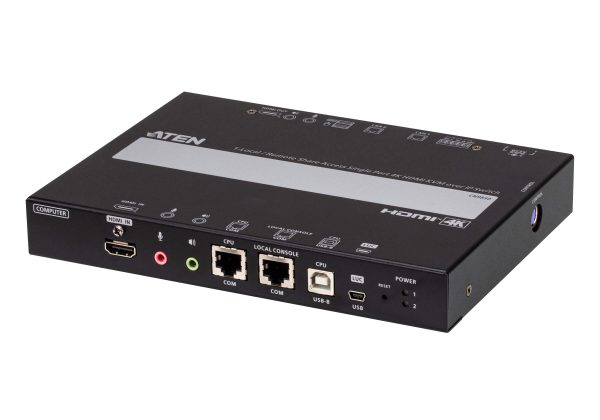
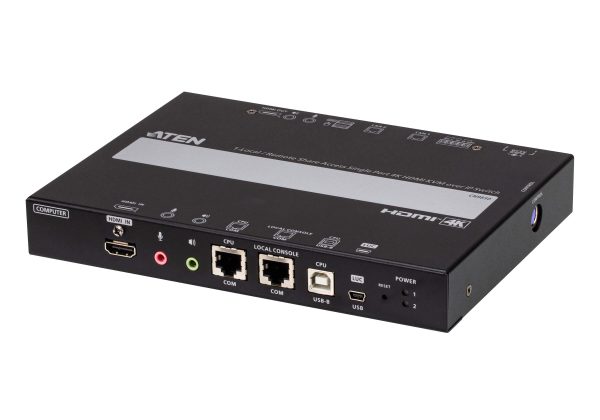
CN9850-1-Local / Remote Shared Access Single Port 4K HDMI KVM over IP Switch
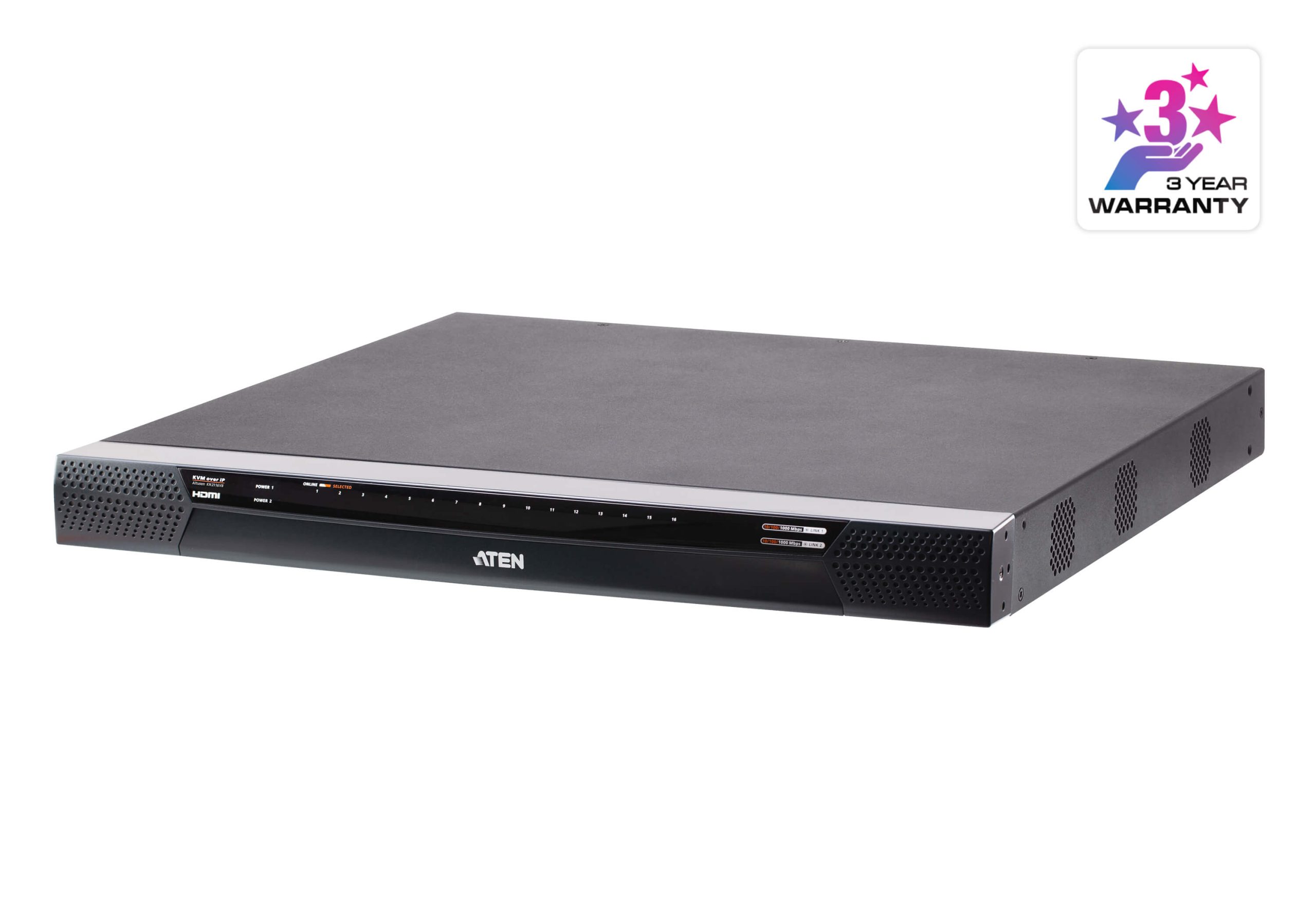
- Supports HDMI resolution up to 4K DCI (4096 x 2160) @ 30 Hz
- Two 10 / 100 / 1000 Mbps NICs for redundant LAN or two IP operation
- Dual power supply to ensure seamless connectivity
- Up to 64 user accounts – up to 32 users can simultaneously share control
- Mô tả
Mô tả
The CN9850 provides over-IP capability for remote access to a dedicated PC/server via a direct BIOS-level, hack-proof network connection, and expands on previous models with increased visual excellence, up to 4K DCI resolution, by utilizing an FPGA graphics processor. It allows for secured remote access to audio, video, and virtual media, facilitating instant file sharing and system updates over the network without the need for any extra software installation or configuration.
The CN9850 KVM over IP switch is ideal for global organizations and companies with several office locations by bridging local and remote workplaces with a seamless connection without any restriction or loss in productivity. It is a secure and practical solution to help keep businesses afloat during a downturn or global crises.
The CN9850 provides a direct BIOS-level connection to the dedicated PC/server to allow for instant remote access from different locations without requiring any extra software installation or configuration.
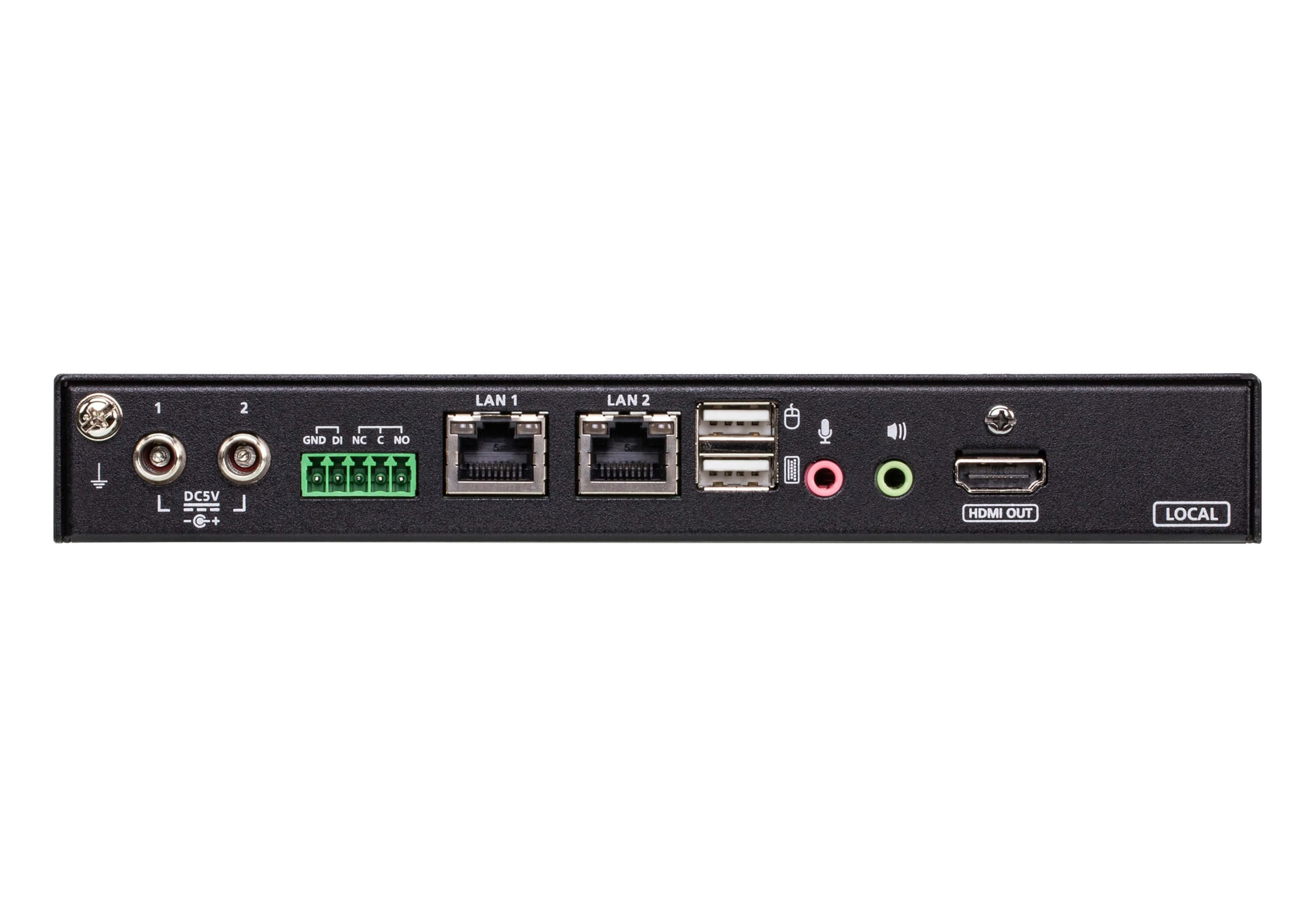
The CN9850 is equipped with dual LAN / power connectivity that strengthens system reliability by maintaining uninterrupted operations during any contingency. Power connectors are fastened with screw locks to ensure robust power failover, and power status can be identified easily via the LED indicators.
Features:
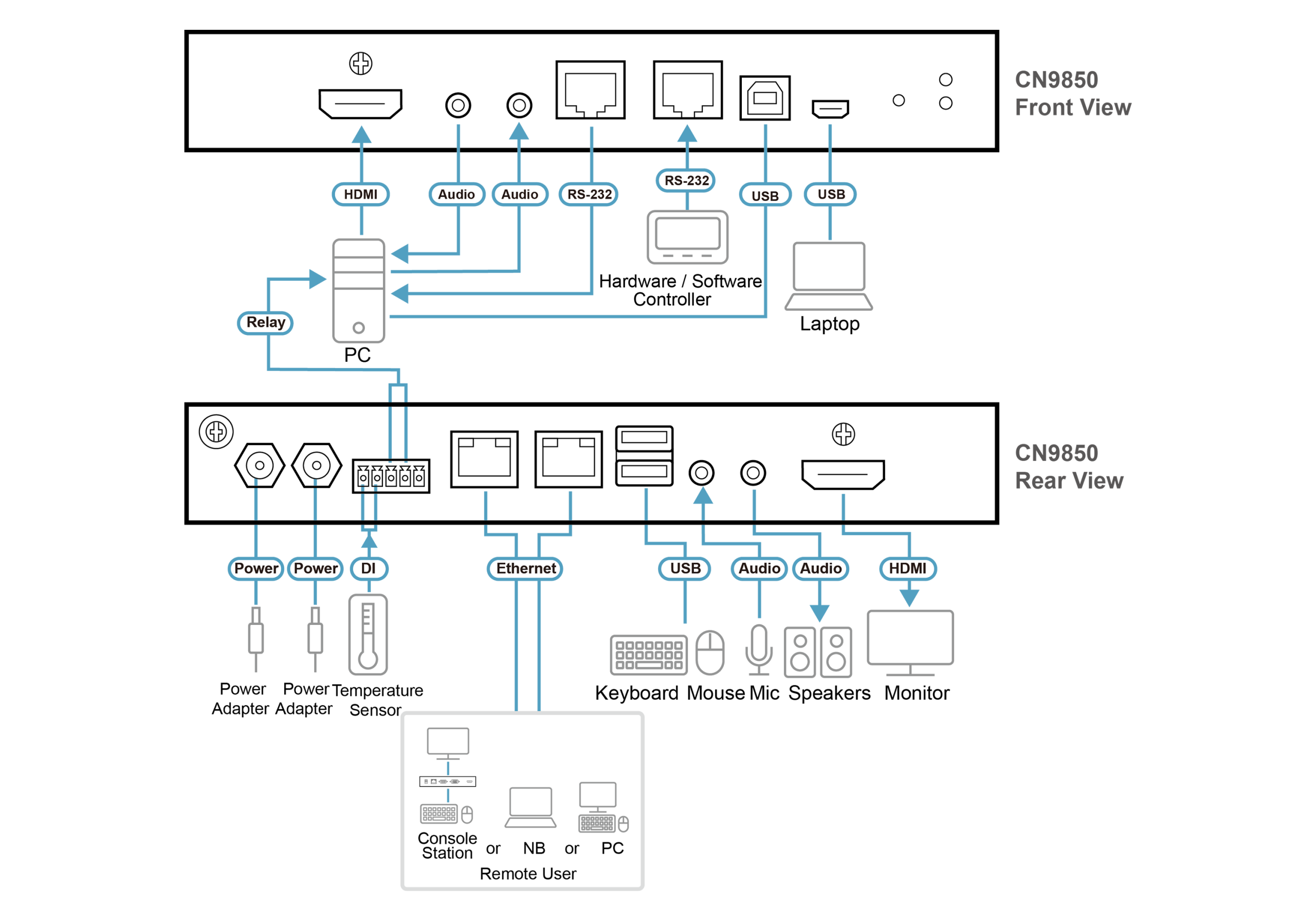
The CN9850 KVM over IP Switch allows for remote access to video, audio, and virtual media of a PC or workstation, and features HDMI high-definition video with resolutions of up to 4K DCI (4096 x 2160) @ 30 Hz at both the local and remote consoles. Built with an advanced FPGA graphics processor, the CN9850 offers better image and video quality to enhance the user experience, while also meeting the RS-232 standards for serial control.
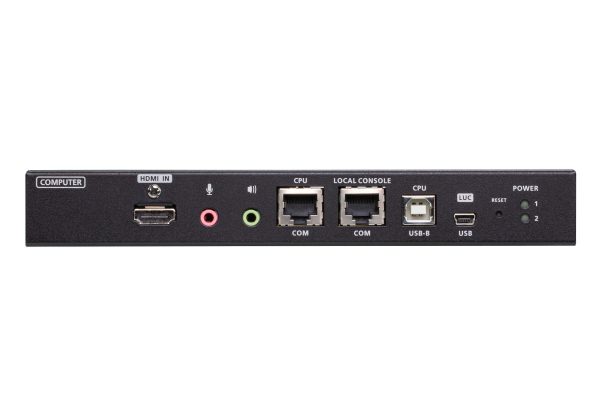
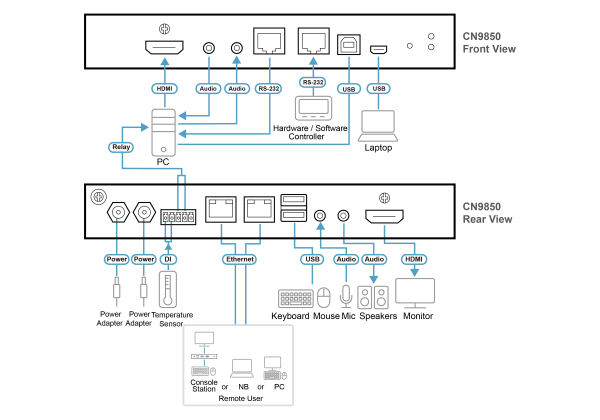
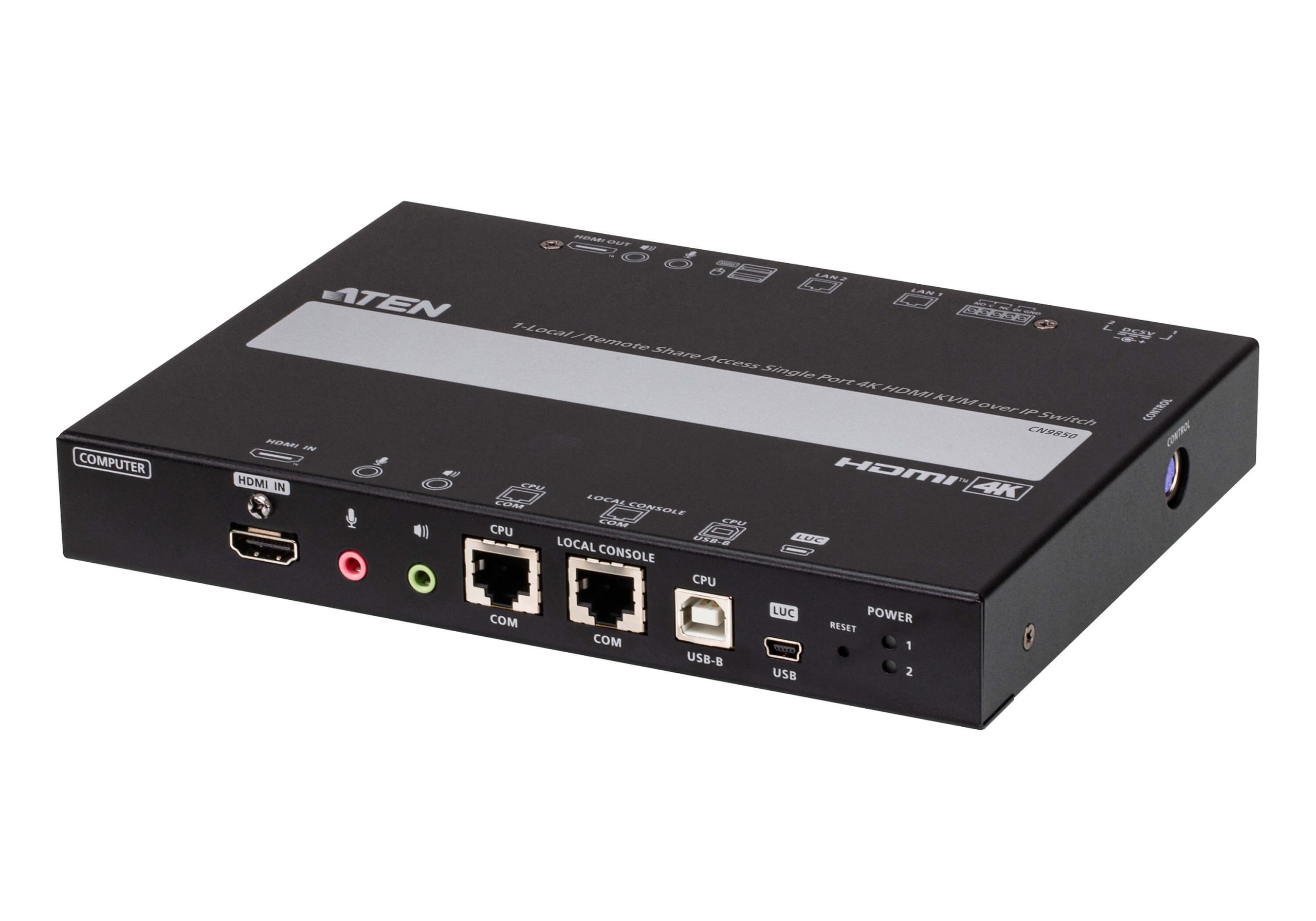
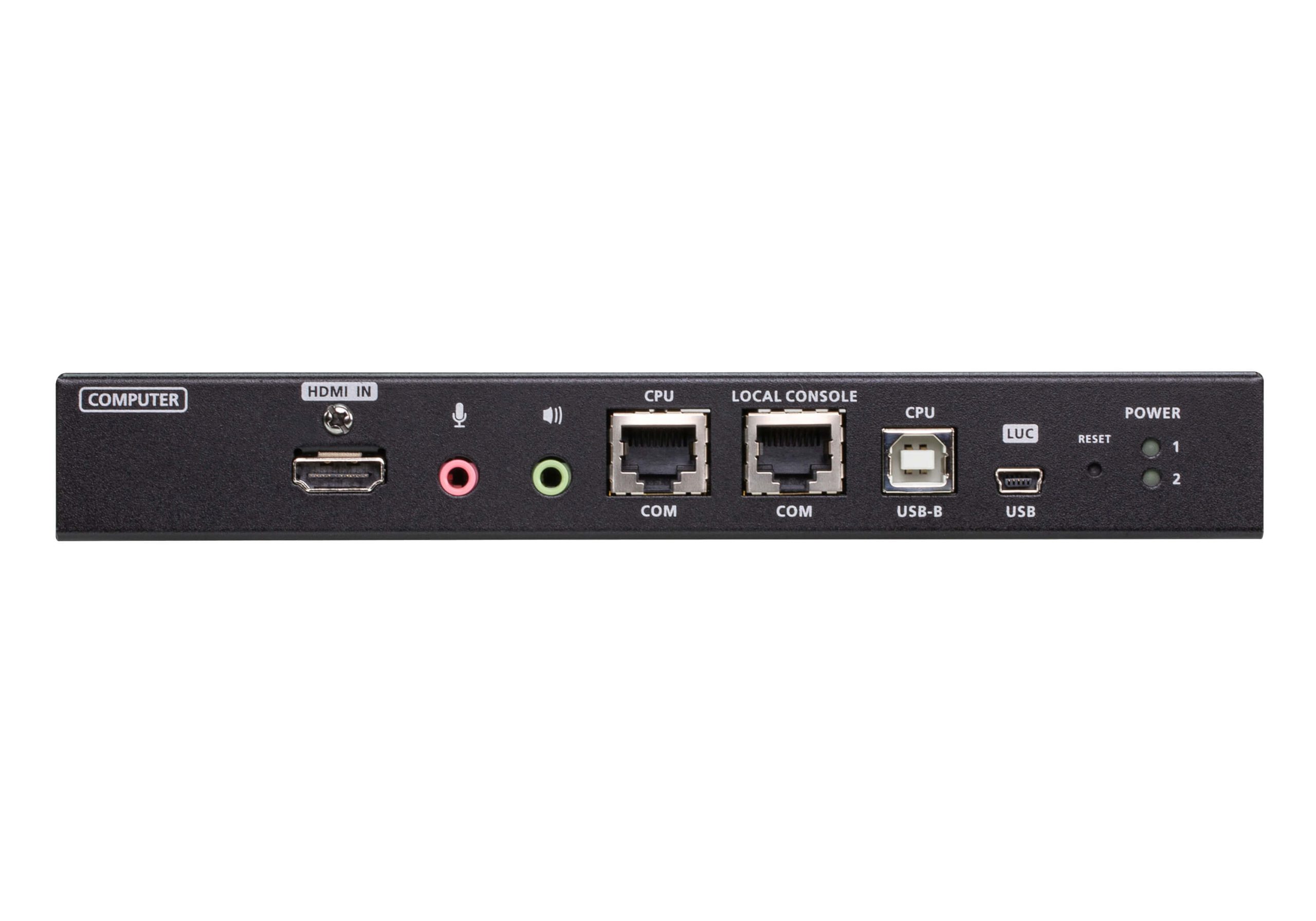
For user-friendly operation, a mini USB port on the front panel is designed as a Laptop USB Console (LUC) port for connection to a laptop, which allows the user to access the PC / server for easy routine maintenance without requiring an additional monitor, keyboard, and mouse.
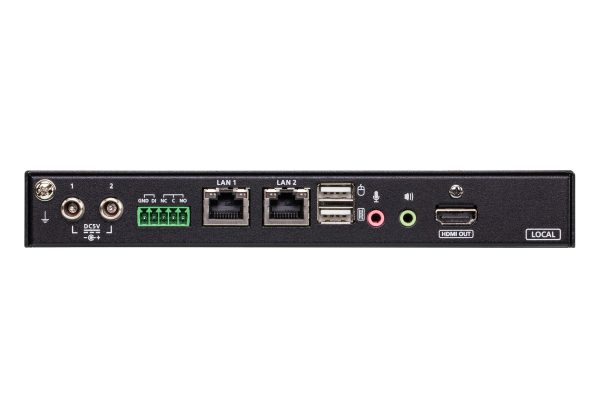
To seamless stable connectivity, the CN9850 is equipped with dual LAN and dual power functionality to keep operations in the server room smooth and efficient. Its power status detection function automatically sends out event notifications when the devices are offline (e.g. power failure) for device status monitoring. Moreover, the CN9850 features a 5-pin Relay / DI (digital input) terminal block allowing for remote reboot of the local server, and receiving digital input from a connected input/alarm device for notification of critical events.
For ease of remote management, the CN9850 WebClient Viewer supports remote desktop access without additional software applications. The HDMI 4K KVM over IP Switch provides a webbased GUI for remote access and management. In addition, a unified multi-language interface can minimize user training time and increase productivity.
The CN9850 is ideal for data centers, server rooms, and control rooms for remote access management in industries with requirements for high-quality images and multitasking, such as global organizations and companies with several office locations where it can function as a bridge between local and remote workplaces.
- Hardware
- Supports HDMI resolution up to 4K DCI (4096 x 2160) @ 30 Hz1
- A mini USB port in the front panel can serve as a Virtual Media USB port or a Laptop USB Console (LUC) port
- Compact and slim design for space utility optimization
- Supports 5-pin Relay / DI Terminal for environment monitoring and remotely reboot control
- Provides an FPGA graphics processor for better image quality
- Two 10 / 100 / 1000 Mbps NICs for redundant LAN or two IP operation
- Dual power supply to ensure seamless connectivity
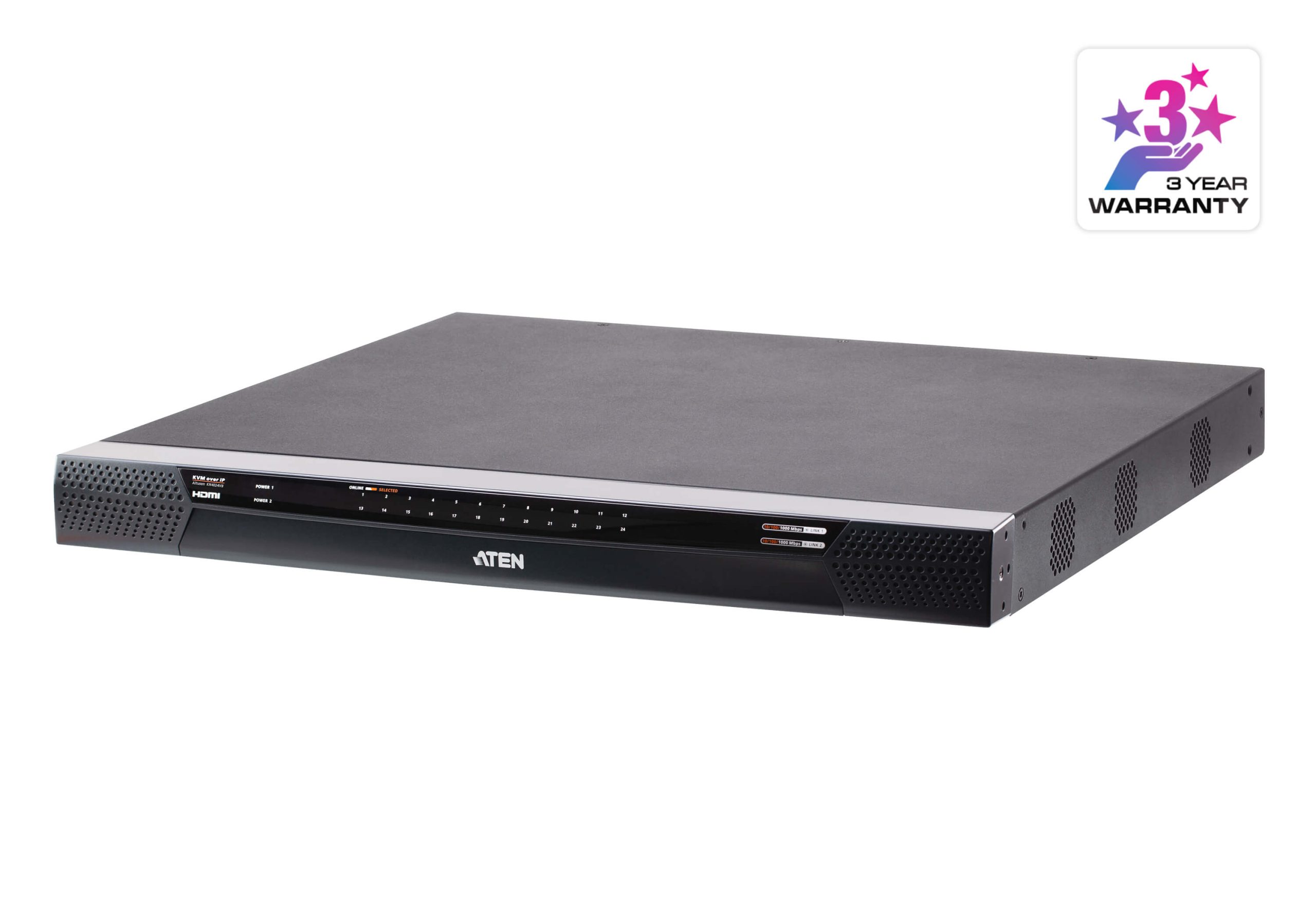
- Provides over IP capability to HDMI KVM switches without over IP functionality2
- Allows access to the CN9850 via a built-in serial viewer, or via third-party software (such as PuTTY) for Telnet and SSH sessions
Note:
1. Audio is not supported by CN9850 HDMI and can only be transmitted through its 3.5 mm audio ports.
2. When the CN9850 is used with CS1798 or CS17916, the mouse on the CN9850 should be changed to manual sync mode to avoid compatibility issue.
- Management
- Complies to the RS-232 standards for serial control
- Up to 64 user accounts – up to 32 users can simultaneously share control
Note: As more users connect to the device, the bandwidth allocated to each user decreases. - Console access right management
- End session feature – administrators can terminate running sessions
- Event logging and Windows-based Log Server support
- Event logging – the CN9850 can record all events that take place on it and write them to a searchable database
- Supports instant notification of critical system events via email, SNMP trap, and Syslog
- Firmware upgradable via remote access
- Out of Band support – access the CN9850 through its serial port using a dial-up connection
- Local / Remote Share Mode conveniently grants shared or exclusive console privilege
- Port Share Mode allows multiple users to gain access to a server simultaneously
- DDNS – allows mapping of a dynamic IP address assigned by a DHCP server to a host name
- Supports export / import of user account and configuration settings
- Supports permission-controlled browser operation
- Supports IPv6
- Integration with ATEN CC2000 Management Software
- Integration with ATEN CCVSR Video Session Recording Software
- Easy-to-Use Interface
- Browser-based and AP GUIs offer a unified multi-language interface to minimize user training time and increase productivity
- Multiplatform client support (Windows, Mac, Linux, Sun)
- Multibrowser support (IE, Firefox, Safari, Opera, Chrome)
- Browser-based UI in pure web technology allows administrators to perform administrative tasks without pre-installed Java software package requirements
- Full-screen or sizable and scalable Virtual Remote Desktop
- Magic Panel with configurable function for quick launch
- Advanced Security
- External authentication support: RADIUS, LDAP, LDAPS, and MS Active Directory
- Supports TLS 1.2 data encryption and RSA 2048-bit certificates to secure users logging in from browsers
- Flexible encryption design allows users to choose any combination of 56-bit DES, 168-bit 3DES, 256-bit AES, 128-bit RC4, or Random for independent keyboard / mouse, video, and virtual media data encryption
- Supports IP / MAC Filter
- Supports password protection
- Private CA
- Virtual Media
- Virtual media enables file applications, OS patching, software installation, and diagnostic testing
- Works with USB-enabled servers at OS and BIOS level
- Supports USB 2.0 DVD / CD drives, USB mass storage devices, PC hard drives, folders, and ISO images
- Virtual Remote Desktop
- Video quality and video tolerance can be adjusted to optimize data transfer speed; monochrome color depth, threshold, and noise settings can be adjusted for compression of the data bandwidth in low-bandwidth situations
- Full-screen video display or scalable video display
- Message Board for communication among remote users
- On-screen keyboard with multi-language support
- Mouse DynaSync™ – automatically synchronizes the local and remote mouse movements
- Supports Exit Macros
- BIOS-level access

| Connectors | |
| Console Ports | 2 x USB Type A Female (White) 1 x HDMI Female (Black) 1 x Mini Stereo Jack Female (Green) 1 x Mini Stereo Jack Female (Pink) |
| KVM Ports | 1 x USB Type B Female (White) 1 x HDMI Female (Black) 1 x Mini Stereo Jack Female (Green) 1 x Mini Stereo Jack Female (Pink) |
| LAN Ports | 2 x RJ-45 Female |
| Power | 2 x DC Jack |
| Serial | 2 x RJ-45 Female |
| Control | 1x PS/2 Female |
| Laptop USB Console (LUC) Port | 1 x USB Mini-B Female |
| Switches | |
| Reset | 1 x Semi-recessed pushbutton (Black) |
| Emulation | |
| Keyboard / Mouse | USB |
| LEDs | |
| Power | 2 (Green) |
| Video | Local console – 4096 x 2160 @ 30 Hz Remote console – 4096 x 2160 |
| Power Consumption | DC5V:10.07W:48BTU/h
Note: |
| Environmental | |
| Operating Temperature | 0 – 50°C (CN9850) 0 – 40°C (Power Adapter) |
| Storage Temperature | -20 – 60°C |
| Humidity | 0 – 80% RH, Non-condensing |
| Physical Properties | |
| Housing | Metal |
| Weight | 0.84 kg ( 1.85 lb ) |
| Dimensions (L x W x H) | 20.00 x 15.05 x 2.84 cm (7.87 x 5.93 x 1.12 in.) |
| Note | For some of rack mount products, please note that the standard physical dimensions of WxDxH are expressed using a LxWxH format. |